WordPress Maintenance Mode Plugin
We have created a simple and versatile wordpress plugin to put your site in maintenance mode. So oddly WordPress does not natively ship with a maintenance mode that can be enabled except if you create a couple of new files or edit files like .htaccess. Essentially it is not a straight forward process. We found that this is quite annoying, especially if you just need to quickly close the site off to visitors and still run updates or apply some new function and test it on the live site. Maintenance mode is especially important for e-commerce websites if you want to briefly prevent orders.
Our plugin resolves this issue. With just a checkbox and save your site will be in maintenance mode and you are still able to view it and work on the site.
Maintenance Mode Features
- Tool Bar display When Maintenance Mode is active
- Schedule Start and/or End date and time
- IP White List
- Maintenance page display Settings
- Maintenance Page Preview
- Template Override
- Emergency Disable from wp-config.php
How to use your Maintenance Mode plugin
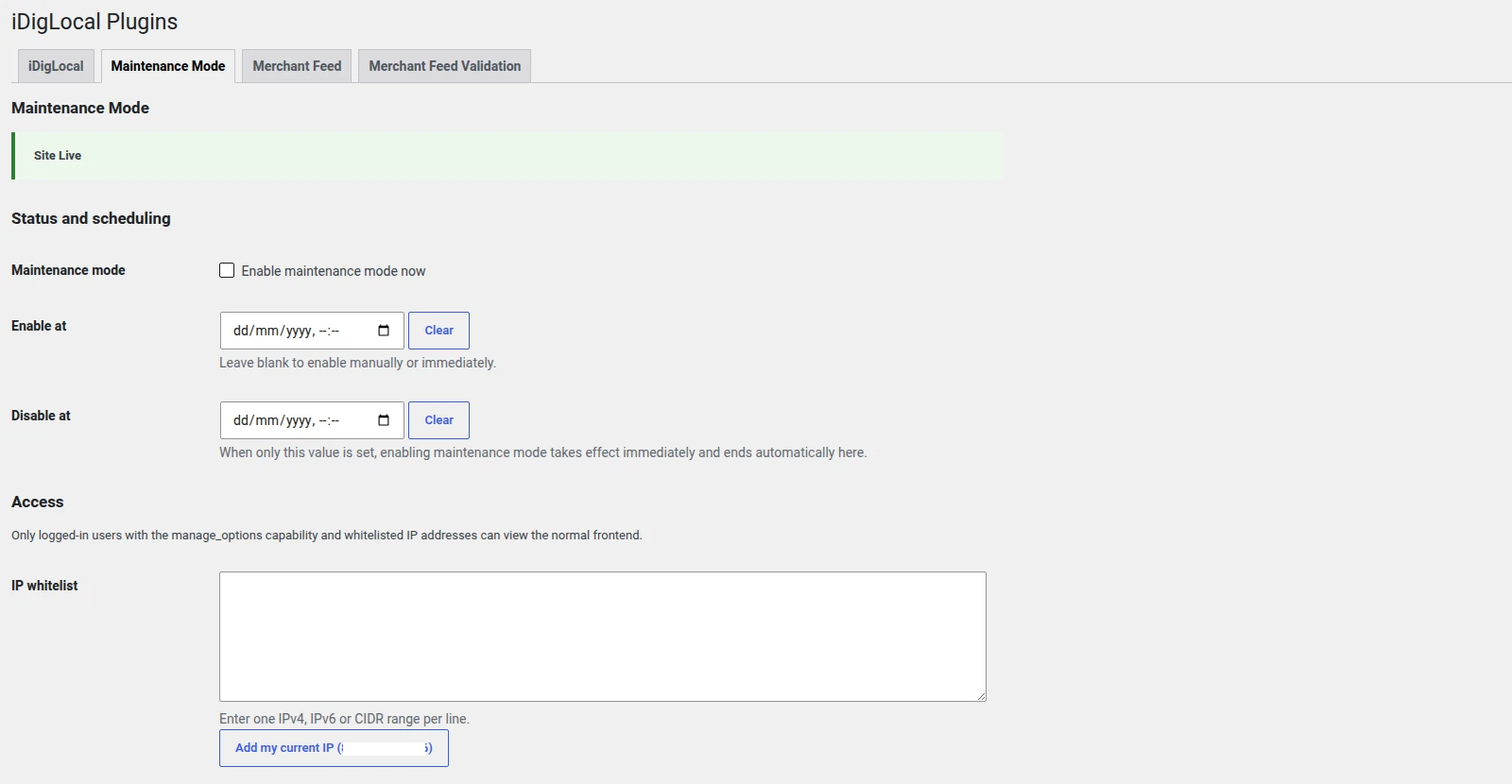
The plugin is very easy to use. In the first instance just check the maintenance mode and save. The website is instantly in maintenance mode. The page itself returns a 503 “Service Unavailable” status paired with a “retry-after”. The “retry-after” can be set on the maintenance mode plugin settings page.

Additionally it is possible to schedule the start and/or end time of the maintenance mode. So if for example you were running some scheduled update you can schedule your maintenance mode around that. Just remember if you set an end date/time it will stay in maintenance mode until that time is reached. But you can also use it as a safety precaution. If you set the end time when you enable maintenance mode it means if you forget to switch it off it will disable itself.
The Ability to use the plugin is limited to those roles with “manage_options” or people that come from a white listed IP. So this means that you can have a site on a live server and give temporary access to, say, a client to view the site if you have their IP address. This means that you do not need to create a temporary user account with access privileges to see the site.
If you don’t see a feature you need then please get in touch we are happy to do customisation and also your needs may make a great addition to this highly productive wordpress plugin.
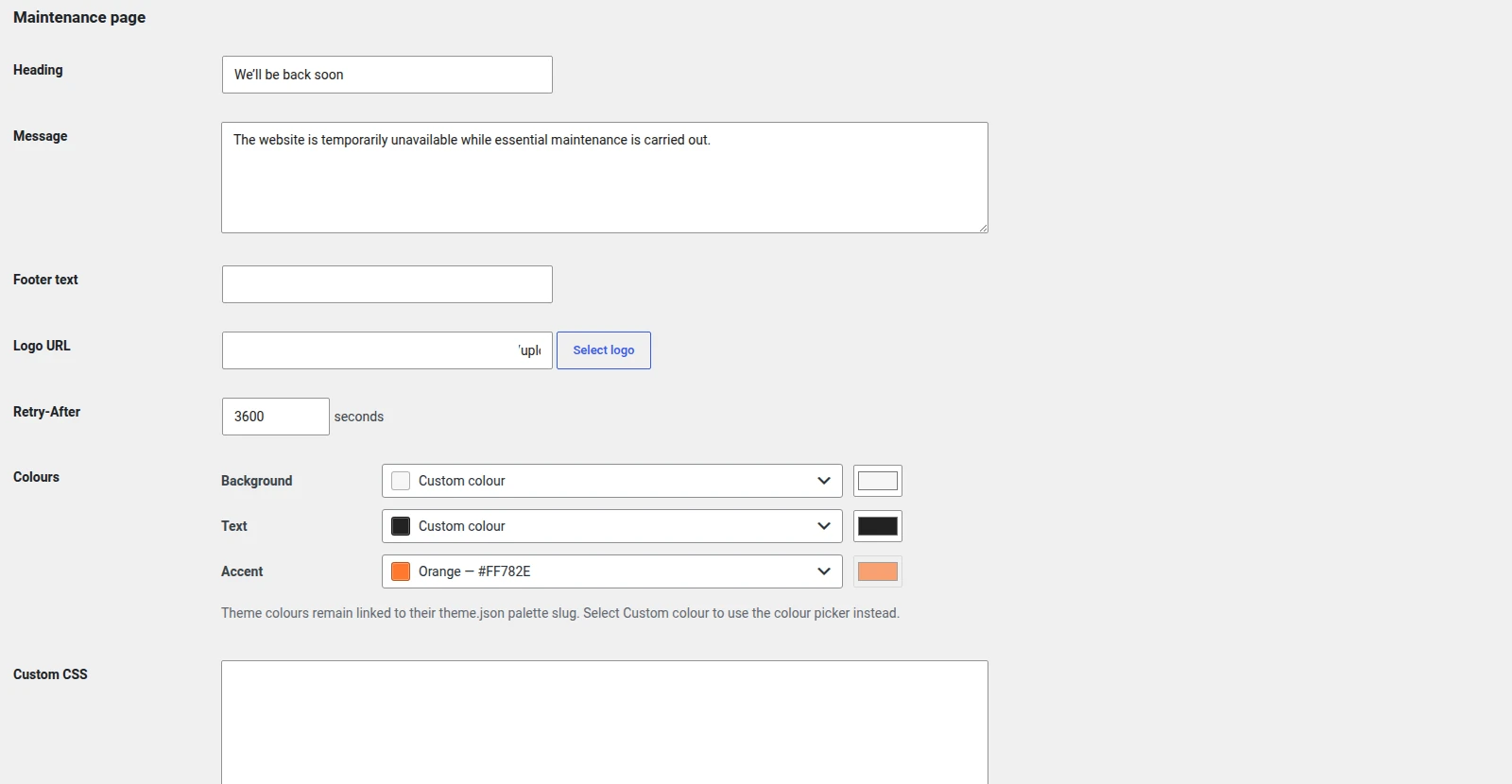
The remainder of the settings are to do with the Maintenance page content displayed. There is a default template. This adds a heading, message, footer text and the ability to add a logo. you can also set background, text and accent colours using either custom or theme colours. But you can override this template by including a file in your-theme/idig/maintenance.html.
To check you are happy with what your maintenance page looks like you can use the preview button.
We find it to be an incredibly useful wordpress plugin.